Hard Drive Clicking Noise? Causes, Warning Signs and Data Recovery Solutions
Is your hard drive making a clicking noise when you connect it to your computer? Are you worried about losing important photos, business documents, videos or personal files?
A clicking hard drive can be a warning sign of a mechanical problem. In some situations, the sound may indicate that the internal read/write heads are struggling to read data from the drive’s platters.
If your hard disk is making unusual clicking, ticking or repeated knocking sounds, stop using it and avoid repeated attempts to access your files.
At TRUST Data Recovery BD, we provide professional hard drive data recovery assessment and solutions for damaged, inaccessible and mechanically failed storage devices in Bangladesh.
In this guide, you will learn why hard drives make clicking noises, what causes these problems, what you should avoid and when professional data recovery may be necessary.
What Does a Clicking Hard Drive Mean?
A traditional Hard Disk Drive (HDD) contains several mechanical components, including:
- Magnetic platters that store your data.
- Read/write heads that access information.
- A spindle motor that rotates the platters.
- An actuator assembly that moves the heads.
- Electronic components that control drive operations.
When everything works correctly, these components operate with very little noticeable noise.
However, if an internal component develops a fault, you may hear repeated clicking or ticking sounds.
One possible cause is a head-related problem. The drive may repeatedly attempt to initialize or position its read/write heads but fail to access the required information.
A clicking sound does not always confirm mechanical head failure. Power problems, PCB faults, firmware issues and other conditions can also produce unusual symptoms. Proper diagnosis is necessary.
7 Common Reasons Why a Hard Drive Makes Clicking Sounds
1. Read/Write Head Failure
A damaged or malfunctioning read/write head is one of the serious causes of clicking noises.
The drive may repeatedly attempt to read data but fail to complete the operation.
Common symptoms include:
- Repeated clicking sounds.
- Drive not detected by the computer.
- HDD repeatedly disconnecting.
- Computer freezing when accessing the drive.
- Slow or unsuccessful initialization.
If mechanical head damage is suspected, further operation may increase the risk of platter damage.
2. Damaged Magnetic Platters
The magnetic platters inside an HDD store your information.
Physical damage to the platter surface can make data access extremely difficult.
Possible causes include:
- Accidental drops.
- Physical impact.
- Internal head contact with the platter.
- Severe mechanical failure.
If you suspect platter damage, do not continue powering on the drive.
3. PCB or Electronic Problems
The Printed Circuit Board (PCB) controls the electrical operation of a hard drive.
A damaged PCB or power-related component may prevent the drive from initializing correctly.
Possible symptoms include:
- HDD not spinning.
- No detection in BIOS.
- Unusual startup behaviour.
- Repeated power cycling.
A PCB replacement is not always a simple solution. Some drives require compatible donor components and preservation of drive-specific adaptive information.
4. Firmware Problems
Hard drive firmware controls important internal functions, including initialization and communication with the drive.
Firmware-related problems may cause:
- Drive identification errors.
- Incorrect capacity detection.
- Drive not ready status.
- Repeated initialization attempts.
- Inaccessible storage.
Specialized diagnostic tools may be required to investigate firmware-related faults.
5. Motor or Spindle Problems
The spindle motor rotates the platters at the required speed.
If the motor cannot start or maintain normal operation, the drive may fail to initialize.
Possible symptoms include unusual noises, failure to spin and repeated startup attempts.
6. Power Supply Problems
An unstable power supply, damaged USB cable or faulty external enclosure may create symptoms that appear to be a hard drive failure.
Before concluding that the internal HDD is damaged, the power supply and connection path should be assessed safely.
However, if the drive is making repeated mechanical clicking sounds, avoid repeatedly testing different power sources.
7. Physical Impact or Water Damage
Hard drives contain sensitive mechanical components.
Dropping an HDD while it is operating or exposing it to water can cause serious damage.
Even if the drive appears normal externally, its internal components may have been affected.
How to Identify a Clicking Hard Drive Problem
Pay attention to these warning signs:
SymptomPossible causeRepeated clickingHead or initialization problemClicking with no detectionMechanical, firmware or electronic faultClicking and freezingRead errors or internal failureHDD not spinningPower, PCB or motor problemIncorrect drive capacityFirmware or hardware issueClicking after a dropPossible mechanical damage
These symptoms are indicators, not definitive diagnoses. The actual cause must be established through appropriate testing.
What Should You Do If Your Hard Drive Makes a Clicking Noise?
Taking the correct steps can help reduce the risk of additional damage.
Step 1: Stop Using the Hard Drive
Disconnect the drive if it is producing repeated abnormal clicking sounds.
Do not continue opening files or attempting to copy data.
Step 2: Avoid Repeated Power Cycling
Repeatedly turning a mechanically damaged drive on and off may increase the risk of further internal damage.
Step 3: Do Not Run CHKDSK or Repair Utilities
Avoid running CHKDSK, disk repair tools or surface scanning utilities on a physically failing drive.
These operations may place additional stress on the device.
Step 4: Do Not Format the Drive
If Windows asks you to initialize or format the disk, do not proceed if the drive contains important data.
Formatting or initializing may complicate subsequent recovery.
Step 5: Avoid Opening the HDD
Never open a hard drive at home to inspect its internal components.
Dust and contamination can damage the delicate platter surfaces and heads.
Step 6: Seek Professional Assessment
A professional data recovery assessment can help identify whether the problem is related to the heads, motor, PCB, firmware or another component.
Can Data Be Recovered from a Clicking Hard Drive?
In some cases, yes.
However, recovery depends on the actual condition of the drive and the extent of the damage.
The possibility of recovering data may depend on:
- Condition of the read/write heads.
- Magnetic platter condition.
- Motor and spindle operation.
- Firmware accessibility.
- Severity of physical damage.
- Whether the drive has undergone previous recovery attempts.
A mechanically damaged hard drive may require specialized hardware-based recovery procedures.
There is no universal recovery guarantee. Each case requires an individual assessment.
How Professional Hard Drive Data Recovery Works
At TRUST Data Recovery BD, the recovery process is based on the condition of the storage device.
1. Initial Device Assessment
We collect information about the hard drive, reported symptoms and previous recovery attempts.
2. Technical Diagnosis
The drive is examined to identify possible mechanical, electronic, firmware or logical problems.
3. Recovery Plan and Quotation
Based on the diagnosis, we discuss the recovery possibility, estimated time and service charges with the customer.
4. Specialized Recovery Procedure
If approved, appropriate recovery methods are selected according to the drive’s condition.
Depending on the case, this may involve firmware analysis, electronic troubleshooting, controlled mechanical intervention or specialized data extraction.
5. Data Verification
Recovered files are checked to assess their accessibility and integrity.
6. Secure Data Delivery
After recovery and payment arrangements are completed, the recovered data is delivered using an agreed storage device.
Why Choose TRUST Data Recovery BD?
TRUST Data Recovery BD provides data recovery services for individuals, businesses and organizations in Bangladesh.
Our services include:
- Hard Disk Drive (HDD) Data Recovery.
- External Hard Drive Recovery.
- SSD and NVMe Data Recovery.
- RAID and Server Data Recovery.
- NAS Data Recovery.
- CCTV DVR/NVR Data Recovery.
- USB and Memory Card Recovery.
- BitLocker and Encrypted Storage Recovery.
We focus on careful diagnosis, appropriate technical procedures, confidentiality and clear communication.
Our team assesses each case before recommending a recovery procedure.
We also provide consultation for customers who are unsure what to do after a storage device fails.
harddisk Data recovery center
Hard Drive Data Recovery Service in Dhaka, Bangladesh
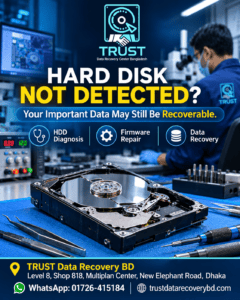
If your hard drive is making clicking sounds, is not detected or has stopped working, professional assessment may help determine whether your data can be recovered.
TRUST Data Recovery BD is located at:
Office Address:
Level 8, Shop 818, Multiplan Center, New Elephant Road, Dhaka-1205, Bangladesh.
Call / WhatsApp: 01726-415184
Email: info@trustdatarecoverybd.com
Website: https://trustdatarecoverybd.com/
We also accept enquiries from customers outside Dhaka. Contact our team to discuss courier-based device submission.
Frequently Asked Questions (FAQ)
1. Why is my hard drive making a clicking noise?
A clicking noise may indicate a read/write head problem, mechanical failure, firmware issue or another internal fault. Proper diagnosis is required to identify the actual cause.
2. Can I recover data from a clicking hard drive?
Data recovery may be possible depending on the condition of the heads, platters, motor and other components. Recovery cannot be guaranteed in every case.
3. Should I keep using my clicking hard drive?
No. If the drive is producing repeated abnormal clicking sounds, stop using it. Continued operation may increase the risk of further damage.
4. Can CHKDSK fix a clicking hard drive?
CHKDSK is not a mechanical repair tool. Running it on a physically failing HDD may increase stress on the drive. Professional assessment should come first.
5. Can a clicking hard drive be repaired?
Some mechanical or electronic problems may be addressed as part of a data recovery procedure. However, making the drive operational again and recovering its data are two different objectives.
6. How much does hard drive data recovery cost in Bangladesh?
The cost depends on the HDD capacity, damage type, mechanical condition and recovery complexity. Contact TRUST Data Recovery BD for a case-specific assessment and quotation.
7. How long does clicking hard drive recovery take?
Recovery time varies according to the drive’s condition, parts requirements and technical complexity. A realistic estimate can be provided after diagnosis.
8. Where can I get professional hard drive data recovery in Dhaka?
You can contact TRUST Data Recovery BD at Level 8, Shop 818, Multiplan Center, New Elephant Road, Dhaka, Bangladesh.
Call or WhatsApp 01726-415184 for consultation.
Final Advice
A clicking hard drive should never be treated as an ordinary software problem.
If your drive contains important family photographs, business documents, financial records or other valuable information, avoid unnecessary troubleshooting and repeated power attempts.
The safest next step is to stop using the device and arrange a professional assessment.
TRUST Data Recovery BD – Professional Data Recovery Solutions in Bangladesh.
Call or WhatsApp: 01726-415184